Related Links
- Developer's Guide
- Endpoints and Access Keys
- Third-Party Tools
- Veeam®
- Veeam® 12 Direct-to-Cloud
- MSP360
- MSP360 Cloudberry
- MSP360 CloudBerry Explorer
- MSP360 Managed Backup Service
- Ahsay
- Acronis Cyber Protect Cloud
- Anchorpoint
- AirLiveDrive
- Archiware P5
- Arcserve
- Arcserve ImageManager
- Arq Backup
- BackupAssist
- Bunny.net
- ChronoSync
- Cohesity
- Cloudmounter
- Cloudflare
- Comet
- Commvault
- Couchbase
- cPanel Backup
- CrossFTP
- CuttingRoom
- CubeBackup
- Cyberduck
- Dell
- Dropshare
- Duplicacy
- Duplicati
- EditShare
- ExpanDrive
- Fastly CDN
- Files.com
- Filezilla Pro
- Flexify.IO
- GoodSync
- Hammerspace
- Hedge OffShoot
- Hitachi Content Platform
- iconik
- Iperius Backup
- iRODS
- Jet Backup5
- LucidLink
- Milestone XProtect
- Mountain Duck
- MultCloud
- /n software S3 Drive
- NAKIVO Backup and Replication
- Nextcloud
- Next3 Offload
- NirvaShare
- NovaBACKUP
- odrive
- Photos+ Cloud Library
- PureStorage
- qBackup
- QNAP
- Quest Rapid Recovery
- Rclone
- Restic
- Retrospect
- S3 Browser
- S3cmd
- S3Drive
- s5cmd
- S3FS
- SFTPCloud
- SimpleBackups
- Snowflake
- SyncBackPro
- Syncovery
- Synology Hyper Backup
- Synology Cloud Sync
- Transmit
- TrueNAS® CORE
- UpdraftPlus Backup
- Vantage Gateway
- Veeam® Backup for Microsoft 365
- Vembu BDR Suite
- Veritas Backup Exec
- WinSCP
- Windows Network Drive
- CNAME Record Guide
- API Documentation
Integrate S3Drive with IDrive® e2
S3Drive is a secure, cross-compatible solution that supports the Amazon S3 protocol and Rclone library. Use S3Drive with IDrive® e2 for seamless data storage, synchronization, and secure access to your encrypted data from desktop, mobile, or web. Learn more about S3Drive.
Prerequisites:
Before uploading files using S3Drive, you require:
- An active IDrive® e2 account. Sign up here if you do not have one.
- A bucket in IDrive® e2. See how to create a bucket.
- A valid Access Key ID and Secret Access Key. Learn how to create an access key.
- Download and install S3Drive on your device.
Configure S3Drive with IDrive® e2
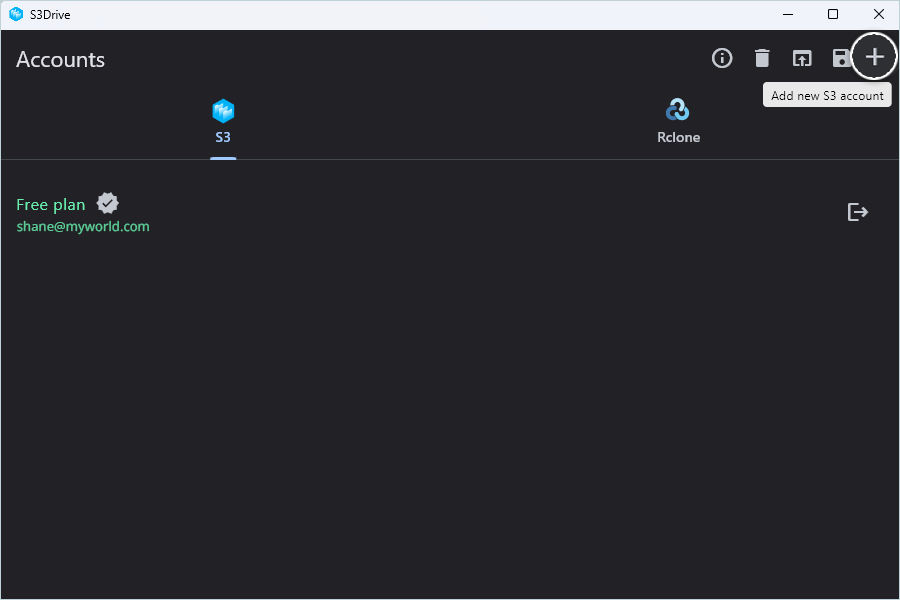
- Sign in to S3Drive and navigate to Accounts.
- Click
 to add a new S3 account.
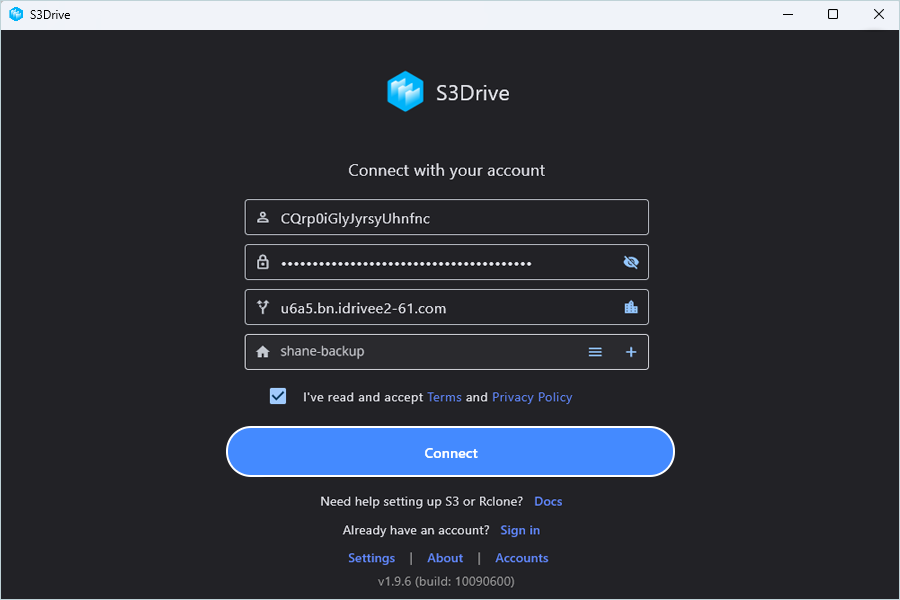
- In Connect with your account window, enter IDrive® e2 cloud object storage credentials.
- Enter the IDrive® e2 access key as Access Key ID.
- Enter the IDrive® e2 secret access key as Secret Key.
- Enter the e2 storage endpoint as the S3 endpoint.
- Select the Bucket name from the drop-down.
- Accept terms and conditions by selecting the check box.
- Click Connect.
Now, you can access your IDrive® e2 bucket.
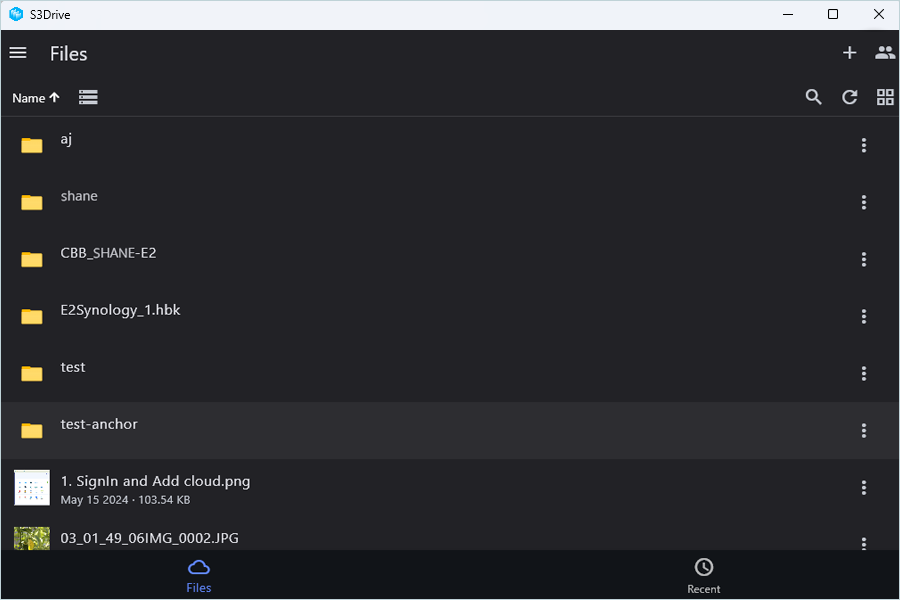
Result: Now, you can access your IDrive® e2 bucket.